Posts

HOW TO SELECT THE PATTERNS OPTION IN PHOTOSHOP?

  Before we understand that how to create a new pattern or save a new pattern, we must understand that what is a pattern? PATTERN DEFINETION: - A pattern can be called as the series or may be repetition of an image to create a desired repeated decorative design or a template which can be used to fill a layer or particular selection. There are various patterns available in photoshop known as preset patterns. Some examples of preset patterns are as follows: - grass, water, trees and with some legacy patterns and more. HOW TO SELECT THE PATTERNS OPTION: - You can add a preset pattern to your layer or selection by clicking on layer option then selecting the option new fill layer then choose option pattern, then you can name the layer to and select the type of preset pattern you want to select. Second way to select a pattern is to choose the option windows at the top bar, then select the patterns options, then patterns panel will display and you can select you desired pattern. Third opt...
How to Create Perspective Room in Adobe Photoshop?

Image
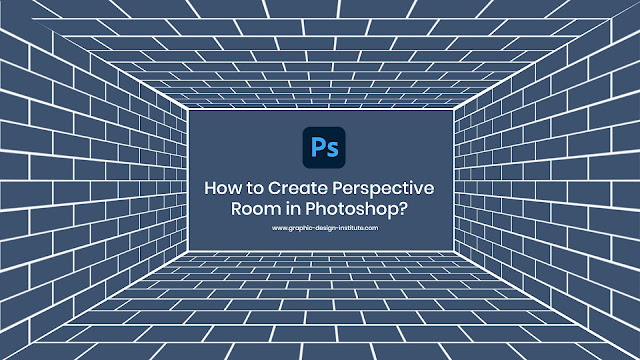
  Adobe Photoshop comes with a series of transform controls and options which you find inside layer menu in the software. These options help us in scaling, rotating, distorting, changing the original form of the layer, flipping on both Y and X axis, etc. One such option is Perspective which comes in the transform options. In this blog, we will go through the important steps to create a room with the help of perspective in Adobe Photoshop. Step. Create a pattern for the wall Use simple marquee tool to create a brick wall pattern and then make 4 more copies using Alt command. Place the copied layers on all 4 directions using move tool. Step. Apply perspective command Now when you are done with this you have to select the individual select one by one to apply perspective command on it. To do so, first select the layer, for eg, select right side layer. Now press Control + T command and right click. Pick up perspective option from there. Now you pick bottom right point and d...

Best Institute to join Graphic design courses in Delhi

Image
  Graphic Designing is a world of imagination. It sounds very easy but it’s not a cup of tea. Well, there is a huge demand for graphic designers in the industry. This is one of the coolest professions in which you work around colors, shapes, photos, and best of all is the imagination. You bring your ideas into reality with the help of your technical skills. You have the freedom to express your creativity. If you are interested in graphic designing career options then you should choose that institute who have strong grip over software applications, visual grammar, and commercial art. Here I am going to tell about some institutes which are providing training in graphic designing. Let’s have a look:     1. ADMEC Multimedia Institute – situated in Rohini     2. CABA Innovatives - South Ext     3. MAAC - Preet Vihar     4. Graphic Design Institute - situated in Rohini     5. NJOY Arts - Shakarpur     6. ARENA Animation- South...

10 Difficult concepts or commands or tools in Photoshop

Image
  As a beginner, I faced a lot of difficulties in Photoshop as it is my first software, but i learned a lot it took me time as am a slow learner but it was worth learning it because of many good reasons. 1. Clone stamp Tool - This tool is mainly used for paint part of one layer over another layer. In simple language we can duplicate objects or remove pieces from that image. It took me a while to understand what this tool really used for, how it actually works and how could this tool be so helpful. If you're working on freckles or pimples or anything like that you've to be really careful about where to put that particular piece that you've took from that picture, also to match her/her skin to make it look real not editable. 2. Pen Tool - This tool is used for changing paths or shapes with anchor points and handles. In simple words we can make curved lines by using this tool. I have trouble while making selection out of it i couldn’t make a perfect selection of it that'...

Main Differences between CorelDraw and Photoshop

Image
This blog explains the major differences between CorelDraw and Photoshop. Let’s first get to know about these two tools one by one. About CorelDraw It is mainly a vector graphics design software application which is launched by a company known as Corel Corporation. It supports vector graphics creations which are scalable and not depend on pixels. About Adobe Photoshop Adobe Photoshop on the other hand is a raster software application which supports the editing of all types of bit map of raster based images. These raster images are not scalable in nature and are made up of pixels. Main Differences Technology: One of the main differences between CorelDraw and Photoshop is the technology on which they are built upon. • For example: Adobe Photoshop works seamlessly on digital images. And CorelDraw works on vector graphics which are made up of paths. Color Modes: Photoshop uses RGB (Red, green, Blue) color mode as default but when it comes to CorelDraw; it mainly goes for CMYK (Cyan,...

How to Create Patterns in Adobe Illustrator

Image
  This blog is going to show you all the separate steps to create pattern in Adobe Illustrator. Step 1 . So the first step is you want to follow along this go file-> new and this is created document. Pick up the sizes whatever you want and hit create. The digital canvas is centered off we go. Step 2 . The next step is we want to create some a very basic art and we’re just basically creating the pattern that we want to repeat across the document. So, I’ll just go quickly here and the pattern can be like a square and any shape that you would like to work add into your pattern. Group the shapes formation you’ve created.   Step 3 . So, we’re on our way. Now the next step is I’m gonna make sure everything is selected. I’m going to window and go to pattern options. And this is where it starts to get weird because when you open pattern options to create a pattern, errors everything’s grayed out the whole kitten caboodle. You can’t do anything and that doesn’t make any sen...

Important Software to learn at Graphic Design Institute in Delhi

Image
  You can make perfect drawings, artwork, logos, posters, illustrations, digital paintings, and much more by learning few graphic design software from an ideal graphic design training institute in Delhi. Hi, this is Ritu, I’m a graphic artist and your friend who is going to provide you some useful information related to graphic design software through this blog. In this piece of content, we will have a look at top 5 creative software applications that I learned and found a kind of must to learn for you too. These software are like keys to the doors of opportunities for you. And not skip if you really want to be a professional artist and designer. So, let’s get read. Adobe Photoshop I’m starting with one of my favorite software that I use the most and learnt at first. Photoshop is way better than any other tool when it comes to presenting the ideas on digital canvas. It deals with not only the editing of the pictures but also provides tools for designing. It has got tools like ...